Digital Accessibility Consulting: What You Need to Know
- itdevservices
- Apr 6
- 5 min read
If your product can't be used by someone with a disability, you're losing users — and potentially breaking the law. Digital accessibility consulting helps you fix that. It's a specialized service that evaluates your website, app, or software against accessibility standards and gives you a clear path to compliance. Whether you're building from scratch or auditing an existing product, understanding how this process works can save you time, money, and legal headaches.
What Is Digital Accessibility Consulting?
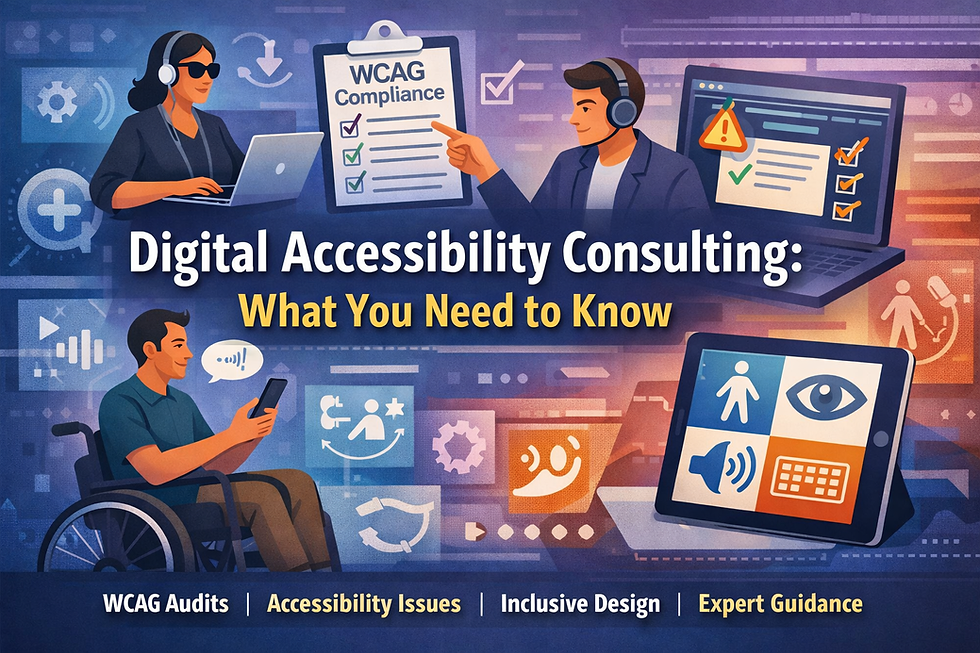
Digital accessibility consulting is the practice of reviewing and improving digital products so that people with disabilities can use them effectively. This includes users who are blind, have low vision, are deaf or hard of hearing, have motor impairments, or have cognitive disabilities.
A consultant typically:
Audits your product against WCAG (Web Content Accessibility Guidelines) 2.1 or 2.2
Identifies barriers that prevent assistive technologies from working correctly
Provides prioritized remediation recommendations
Helps your team build accessible practices into the development workflow
The goal isn't just compliance — it's usability for everyone.
Why Accessibility Consulting Matters for Developers
Most accessibility issues don't get flagged during regular QA. Automated testing tools catch roughly 30–40% of issues. The rest require manual testing with assistive technologies like screen readers, voice control software, and keyboard-only navigation.
That's where a consultant adds real value. They bring expertise in ARIA (Accessible Rich Internet Applications), semantic HTML, keyboard interaction patterns, and assistive technology behavior that most dev teams don't have in-house.
Beyond the technical side, there's also significant legal risk. In the U.S., the ADA (Americans with Disabilities Act) has been applied to websites and apps in hundreds of lawsuits. In the EU, the European Accessibility Act mandates compliance for many digital products by 2025. Ignoring accessibility isn't just a UX problem — it's a liability.
What Does a Digital Accessibility Audit Look Like?
A typical engagement starts with a scoping call to understand your product, tech stack, and user base. From there, the process usually follows these steps:
1. Automated Scan The consultant runs tools like Axe, Lighthouse, or WAVE to baseline the known issues. This gives a quick snapshot of obvious violations.
2. Manual Testing This is where the real work happens. The consultant navigates your product using screen readers (NVDA, JAWS, VoiceOver), tests keyboard-only flows, checks color contrast ratios, and validates form labels and error messages.
3. User Testing (Optional but Valuable) Some engagements include sessions with disabled users. This surfaces real-world friction that technical testing often misses.
4. Audit Report You receive a detailed report with every issue categorized by WCAG success criterion, severity level, and recommended fix. Good consultants include code-level examples so developers can act on the findings immediately.
5. Remediation Support Many consultants offer follow-up support during the fix phase — answering developer questions, reviewing PRs, and running a re-audit once changes are live.
How to Choose the Right Accessibility Consultant
Not all consultants are equal. Here's what to look for:
Certifications: Look for credentials like CPACC (Certified Professional in Accessibility Core Competencies) or WAS (Web Accessibility Specialist) from IAAP (International Association of Accessibility Professionals).
Technical depth: Ask if they can read source code and provide HTML/CSS/JavaScript-level guidance. Surface-level advice won't help your engineers fix real problems.
Assistive technology experience: They should test with actual screen readers and other assistive tech — not just automated tools.
Industry experience: A consultant who has worked with SaaS platforms understands the nuances of dynamic content, SPAs, and component libraries better than a generalist.
Transparent reporting: Ask for a sample report. It should be clear, actionable, and mapped to specific WCAG criteria.
Accessibility Consulting vs. Accessibility Training
These are two different things. Consulting is project-based — you bring someone in to audit your product and guide remediation. Training is about upskilling your team so they build accessibly from the start.
The best outcomes happen when you do both. Consulting surfaces immediate issues and gets you to compliance. Training embeds accessible practices into your design and engineering workflow so you don't accumulate the same debt again.
If you're building a design system or component library, investing in accessibility training for your UI engineers is especially worthwhile. A single inaccessible component that gets reused across your product can create dozens of issues at once.
Common Issues Found in Accessibility Audits
In most audits, you'll see a cluster of recurring issues:
Missing or incorrect alt text on images
Form inputs without proper labels
Insufficient color contrast ratios (WCAG requires 4.5:1 for normal text)
Keyboard traps — areas where keyboard users get stuck
Dynamic content updates not announced to screen readers
Modals and dialogs that don't manage focus properly
Links with vague text like "click here" or "read more"
These aren't obscure edge cases. They show up in almost every product that hasn't been specifically designed with accessibility in mind.
Building Accessibility Into Your Development Process
The most efficient way to handle accessibility isn't to audit and fix — it's to prevent issues from being introduced in the first place. Digital accessibility consulting can help you establish:
Accessibility acceptance criteria in your definition of done
Linting rules (like eslint-plugin-jsx-a11y for React projects) to catch issues at code time
Component-level accessibility documentation in your design system
A testing protocol that includes keyboard and screen reader checks in QA
When accessibility is a shared responsibility across design, engineering, and QA, you stop accumulating technical debt and start shipping inclusive products by default.
Conclusion
Digital accessibility consulting is a practical investment — not just a checkbox exercise. It helps you identify real barriers, reduce legal exposure, and build products that work for more people. If you haven't had your product audited yet, now is a good time to start. Look for a consultant with hands-on assistive technology experience and technical depth, and use the engagement to level up your team's skills at the same time.
Accessibility isn't a feature. It's a baseline expectation for any product that takes its users seriously.
Frequently Asked Questions
What does a digital accessibility consultant actually do?
A digital accessibility consultant audits your website or app against WCAG standards, identifies barriers for users with disabilities, and provides specific, prioritized recommendations to fix those issues. They typically use a combination of automated tools and manual testing with assistive technologies.
How much does digital accessibility consulting cost?
Costs vary widely based on scope. A focused audit of a single application might run $3,000–$10,000. Larger engagements involving multiple products, user testing, and ongoing remediation support can exceed $50,000. Many consultants offer modular pricing depending on what you need.
Is digital accessibility legally required?
In many cases, yes. In the U.S., websites and apps covered by the ADA must be accessible to people with disabilities. The EU's European Accessibility Act requires compliance for many digital products and services. Requirements vary by country, industry, and organization size, so it's worth reviewing what applies to your product.
What is WCAG and why does it matter for accessibility consulting?
WCAG (Web Content Accessibility Guidelines) is the globally recognized standard for digital accessibility, published by the W3C. Accessibility consultants use it as the primary benchmark for audits. Most legal frameworks and government requirements reference WCAG 2.1 Level AA as the minimum standard.
How long does an accessibility audit take?
A standard audit of a mid-size web application typically takes two to four weeks from kickoff to final report delivery. Larger or more complex products take longer. If you need a faster turnaround, some consultants offer expedited reviews at a higher rate.


Comments